
Your child opens YouTube to learn a paper-airplane trick. The first video is useful. Then another appears. A funny challenge follows, then a completely unrelated clip. Twenty minutes later, the original paper airplane has not been folded.
This is an illustrative situation, but it raises a practical question: when recommendations keep arriving, it’s easy to mistake the next suggestion for the next decision. Before pressing play again, ask: “Are we still doing what we came here to do?”
If the answer is no, your child can stop, search for a better tutorial, or choose to watch something fun on purpose. You can’t control every recommendation, and children shouldn’t be left to manage feeds without suitable boundaries. This article shows how to practise choice inside those limits, an everyday version of what’s called locus of control.
A recommended video is a suggestion, not a decision
Recommendation systems arrange options for users. That can help children discover useful material. It can also make it very easy to continue watching without stopping to ask what they wanted in the first place.
This is not a reason to teach children that algorithms are villains. Recommendations can be helpful. The missing skill is recognising the difference between “the screen offered this” and “I chose this because it serves my goal.”

Before opening a video platform, write down the job: “Learn one paper airplane fold” or “Find two ideas for a science model.” Keep the note visible. When a new recommendation appears, ask whether it helps with the job.
If not, it can wait. The child gets to practise saying no to a suggestion, which is a small but real form of agency.
Giving children choice does not mean leaving them alone
A child may not have enough information or judgment to evaluate every video, chat, or link. Parents still need to set suitable boundaries, check content, and use controls.
The American Academy of Pediatrics’ guidance for school-age children recommends being aware of what children watch, co-viewing when useful, and selecting content that fits their needs. The child can make choices inside that protected space.

ThinkBySketch previously explored this selection problem in The Problem Wasn’t YouTube. It Was What Came Next. Here the focus is the smaller skill of making the next choice consciously.
For a younger child, the choice may be between two parent-approved tutorials. An older child might search for a video, explain why it looks credible, and ask an adult to review it. Independence expands with ability, not merely with access to a device.
Control over the next click is not the same as responsibility for every bad outcome. Apps can be confusing, and unsafe or unsuitable content can appear despite sensible decisions. The adult remains responsible for the environment and support.
Sometimes the real obstacle is the design
Parents often tell children to use self-control while leaving autoplay, notifications, and endless feeds switched on. That puts much of the work onto the child.
The AAP’s family media plan suggests reducing distractions and considering whether features such as autoplay and notifications are necessary. Review the current settings on your family’s devices and services. Controls vary by platform and account.
You can also change the physical setup. A shared-screen viewing session in the living room is different from a personal device in a bedroom late at night. A preselected playlist is different from open-ended browsing.
These are environmental choices, not failures of the child. Even adults make better decisions when unnecessary temptations are out of the way.
Don’t promise complete control
Locus of control can be misunderstood as “Everything that happens is your choice.” That is neither accurate nor kind.
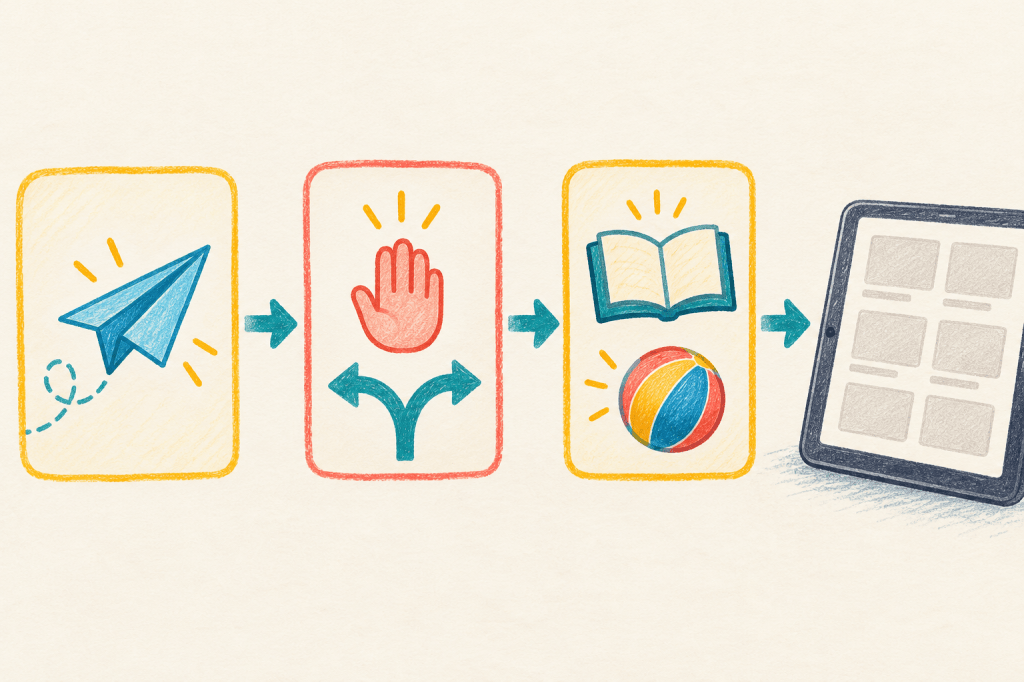
Children cannot control an algorithm’s design, what other users upload, or every surprising recommendation. They can learn to pause, ask for help, change course, and report something uncomfortable. Those are meaningful actions even when the system itself is imperfect.
If a child encounters disturbing content, respond with support rather than asking why they clicked. Explore how they got there, block or report the content as appropriate, and adjust the settings. The lesson should make it safer to tell you next time.
Make the next click a deliberate choice
During a supervised viewing session, pause before the next suggested video. Ask your child to name three things: the original goal, what the next video offers, and whether they want to choose it deliberately.
Sometimes the child will reasonably say, “I just want something funny now.” That is fine if it fits the family’s plan. The important difference is that the new purpose is now visible.
This skill matters beyond YouTube. AI chat tools propose next questions, games offer new missions, and shopping apps suggest more items. A child who learns to ask “Is this what I came here to do?” can begin using those suggestions rather than simply following them.


Leave a Reply